
Central WiFi Management
Manage Your WiFi Environment From One Central Platform

What Is Central WiFi Management?
Central WiFi Management is the administration of multiple Guest WiFi functions from one platform instead of configuring every location, user and service independently.
With WiFi Hotspot, administrators can centrally manage users, WiFi Locations, Internet Plans, Splash Pages, administrator permissions, campaigns and analytics.
Central WiFi Management
WiFi Hotspot provides centralized administration for organizations managing Guest WiFi across one or multiple locations.
From one management platform, administrators can control:
- User accounts and connected devices
- WiFi Locations and hotspots
- Internet Plans and access limits
- Splash Pages and login experiences
- Customer Surveys
- Marketing Campaigns
- Statistics and reports
- Administrator accounts and permissions
Changes can be applied centrally while individual WiFi Locations maintain their own branding, access policies and customer experience.
This makes centralized management useful for hotels, retail chains, restaurants, campuses, healthcare organizations and other businesses operating Guest WiFi across multiple venues.
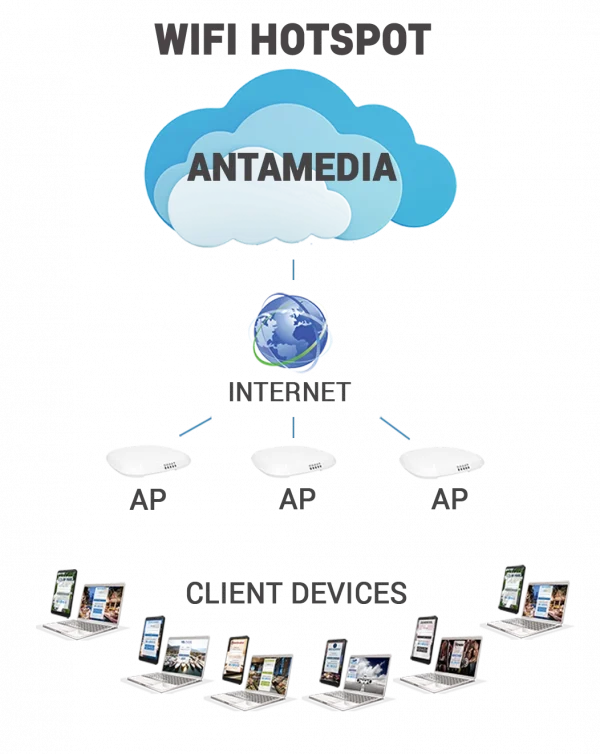
Manage Users, Locations and Access Policies Centrally

Central WiFi Management reduces the need to configure Guest WiFi settings separately for every location.
Administrators can create and manage user accounts, select Internet Plans, configure access limits and organize routers or access points into WiFi Locations.
Each WiFi Location can use different Splash Pages, Internet Plans, surveys and campaigns according to the requirements of that venue.
This provides centralized administration while preserving location-specific WiFi settings where they are needed.
Manage WiFi From Any Device
Access Your Management Platform Wherever You Work
The WiFi Hotspot management interface can be accessed through a web browser, allowing administrators to manage the platform without working directly from the Guest WiFi location. Use the management portal to:
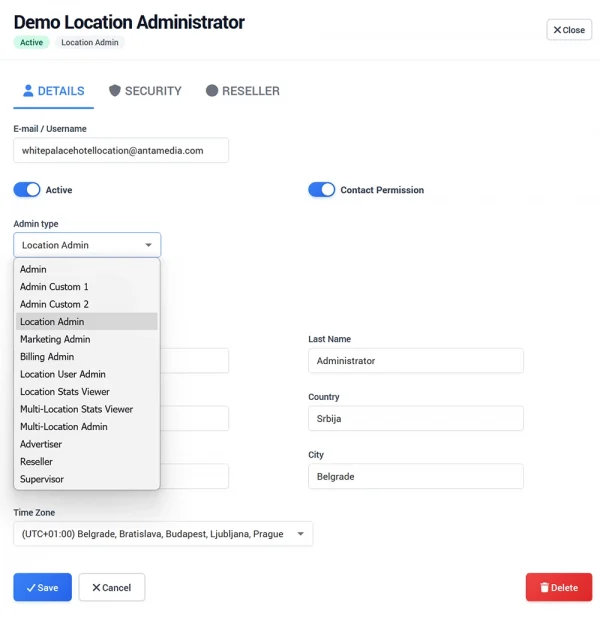
Administrator Roles and Permissions
Give Staff Access Only to the Functions They Need
WiFi Hotspot supports multiple administrator accounts with configurable access permissions.
Different administrator roles can be used for account management, individual WiFi Locations, marketing, billing, reporting, voucher sales and other administrative tasks.
This allows organizations to separate responsibilities between central administrators, local managers and other employees without giving every staff member full access to the entire platform.
Administrator accounts can be activated or disabled when required, helping organizations maintain control as staff responsibilities change.
Central Management Across Multiple WiFi Locations
Organizations operating multiple venues can manage them from the same platform while keeping individual locations independently configured.
For example, different locations can have their own:
- Splash Page branding
- Login methods
- Internet Plans
- Access policies
- Customer Surveys
- Marketing Campaigns
A hotel group can manage multiple properties, a retail company can manage individual stores, and a restaurant group can maintain different promotions and WiFi experiences for each venue.
Centralized administration reduces repetitive configuration while allowing each WiFi Location to remain relevant to its own users.
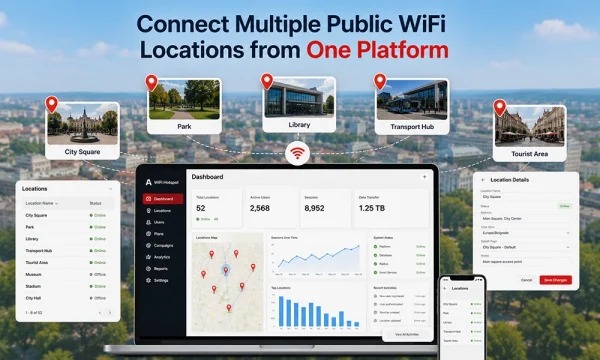
Centralized Analytics and Reporting
Central WiFi Management also provides access to WiFi usage information across users and locations.
Administrators can review sessions, visitors, bandwidth activity, connected devices, rejected logins, location performance and other available reports from the management platform.
Our Customers

