

What Is a WiFi Splash Page?
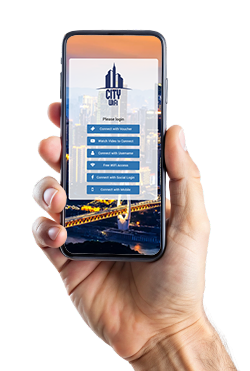
A WiFi Splash Page is the web page visitors see when they connect to a Guest WiFi network before receiving Internet access. It is commonly part of a captive portal and can be used to authenticate guests, display Terms of Use, collect permitted customer information and present branded content.
Businesses can customize the Splash Page with their logo, colors, background and available login methods to create a consistent branded WiFi experience.
Brand New Splash Pages
Make Every WiFi Login Match Your Brand
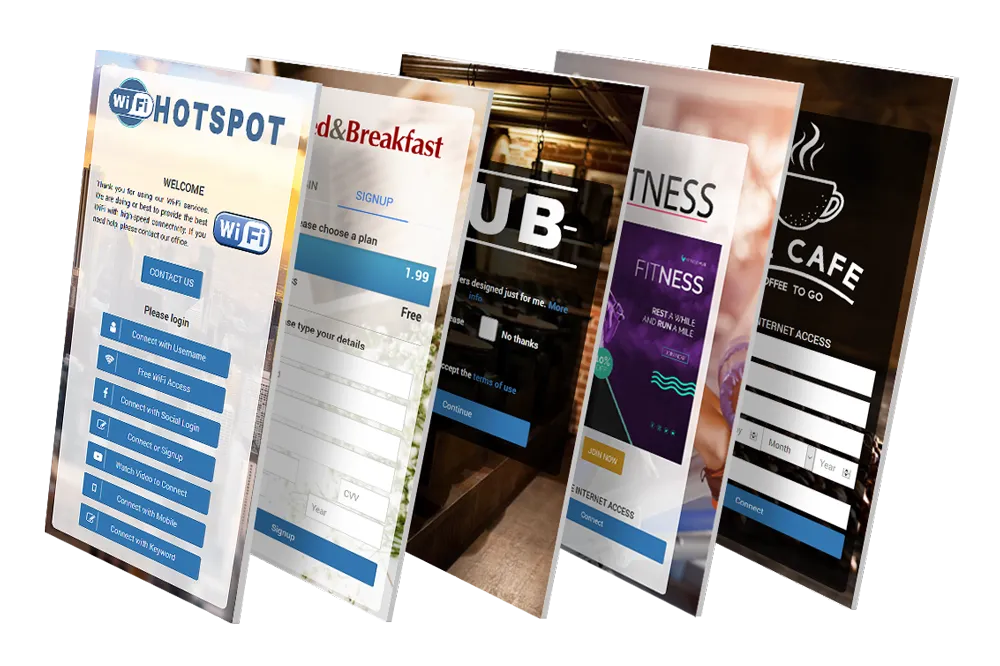
The Splash Page is the first page visitors see when they connect to your Guest WiFi network. It provides a branded captive portal experience where guests can authenticate before receiving Internet access.
Choose from professionally designed templates for hotels, restaurants, cafés, retail stores, airports, cities, transportation and other industries, then customize the page with your logo, background, colors and preferred login methods.
WiFi Hotspot includes dozens of ready-to-use Splash Page templates, making it easy to create a professional login experience without designing a page from scratch.
Multiple Login Methods
Give Guests a Choice of How to Connect
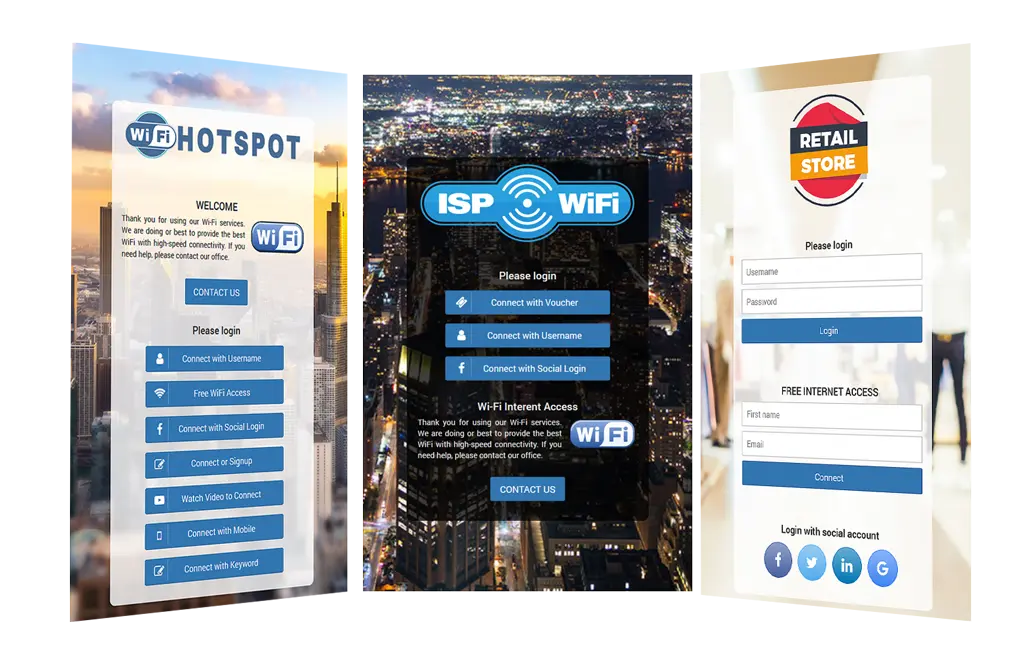
Configure one or multiple authentication methods on the same Splash Page and allow visitors to choose the most convenient way to access WiFi.
For simple deployments, the Splash Page can display only the required login forms. When several authentication options are available, the Modern layout can present them as buttons that open the selected login form.
This keeps the page clean while giving businesses flexibility over how different types of guests authenticate.
Splash Page Editor
Build and Customize Your Guest WiFi Portal
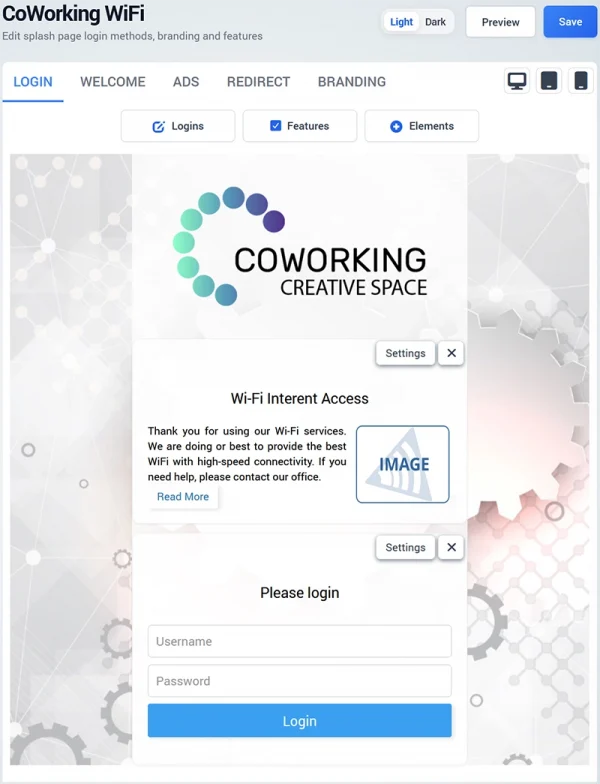
The Splash Page Editor gives you control over how guests connect and what they see during the WiFi login experience. Configure authentication, add interactive features, customize branding and include additional content from one visual editor.
- Configure Login Methods – Add and arrange authentication options for different types of WiFi users.
- Enable Splash Page Features – Add Terms of Use, contact permission, Smart Forms, surveys, Live Chat and HelpDesk.
- Add Custom Elements – Include buttons, images, articles, links and custom HTML.
- Customize Branding – Set colors, backgrounds, logos and other visual elements to match your brand.
- Optimize for Every Device – Preview and configure the Splash Page for desktop, tablet and mobile screens.
- Control the Guest Journey – Configure Welcome Pages, marketing campaigns and post-login redirects.
All settings can be managed from one editor, making it easy to create different Guest WiFi experiences for individual locations.
Splash Page Login Methods
Choose How Guests Connect to WiFi
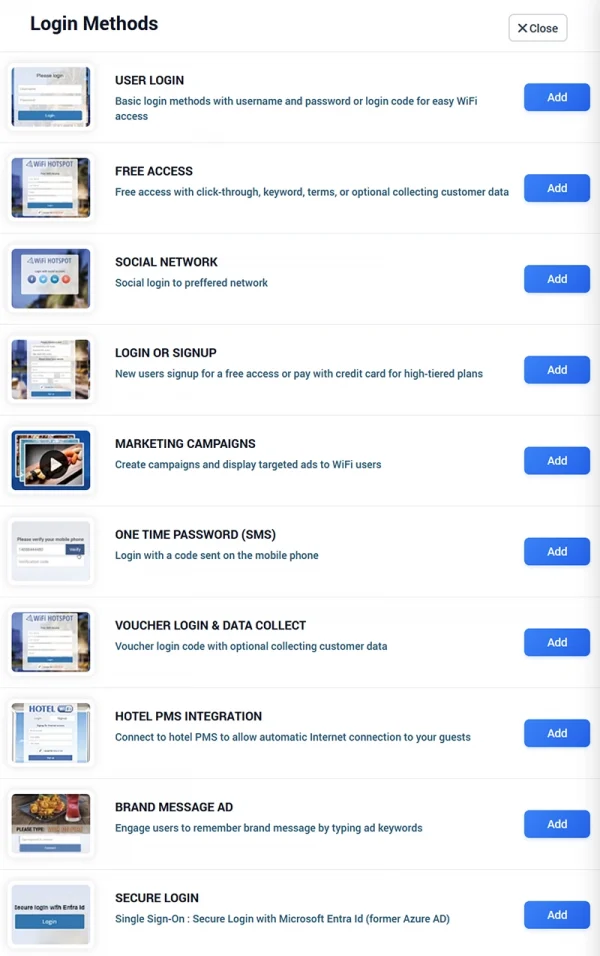
Configure the login method that best matches your Guest WiFi requirements. WiFi Hotspot supports multiple authentication options that can be added to the Splash Page and combined when different types of visitors need different ways to connect.
Guests can connect using a username and password, free access, signup, one-time SMS password, voucher code or supported social login. Hotels can authenticate guests through PMS integration, while business and enterprise environments can use secure Microsoft Entra ID Single Sign-On.
Marketing-based login options can also be used to combine Internet access with customer engagement and data collection.
Supported login methods include:
- User Login – Username and password or login code
- Free Access – Click-through, keyword or optional customer data collection
- Social Network – Login through a supported social network
- Login or Signup – New account registration with free or paid Internet plans
- Marketing Campaigns – Display configured campaigns during WiFi access
- One-Time Password (SMS) – Verify access with a code sent to a mobile phone
- Voucher Login & Data Collect – Voucher authentication with optional customer data collection
- Hotel PMS Integration – Authenticate hotel guests through a supported PMS
- Brand Message Ad – Require interaction with a configured brand message
- Secure Login – Single Sign-On with Microsoft Entra ID
Splash Page Features
Add More Functionality to the Guest WiFi Experience
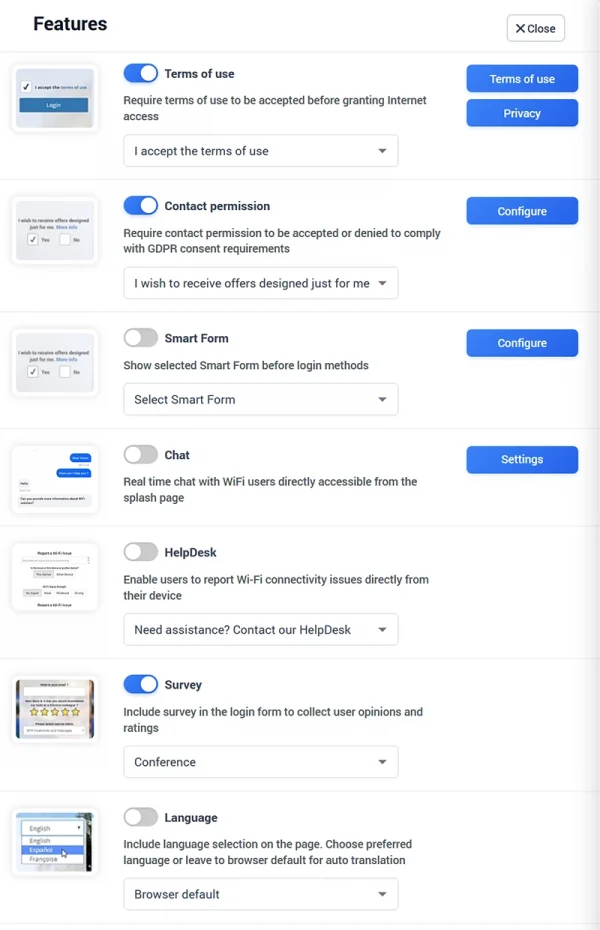
Extend your Splash Page beyond basic WiFi authentication. Enable additional features to collect feedback, communicate with guests, provide support and manage consent directly during the Guest WiFi experience.
Each feature can be enabled and configured according to the requirements of a specific Splash Page or WiFi location.
- Terms of Use – Require guests to accept your Terms of Use and Privacy Policy before Internet access.
- Contact Permission – Ask visitors for marketing consent separately from WiFi access.
- Smart Forms – Collect selected customer information before the login process.
- Live Chat – Allow WiFi users to communicate with your team directly from the Splash Page.
- HelpDesk – Let guests report WiFi connectivity issues directly from their device.
- Customer Survey – Collect ratings, feedback and customer opinions during the WiFi experience.
- Language Selection – Display the Splash Page in the visitor’s preferred language or use the browser default.
Splash Page Elements
Add Custom Content to Your WiFi Splash Page
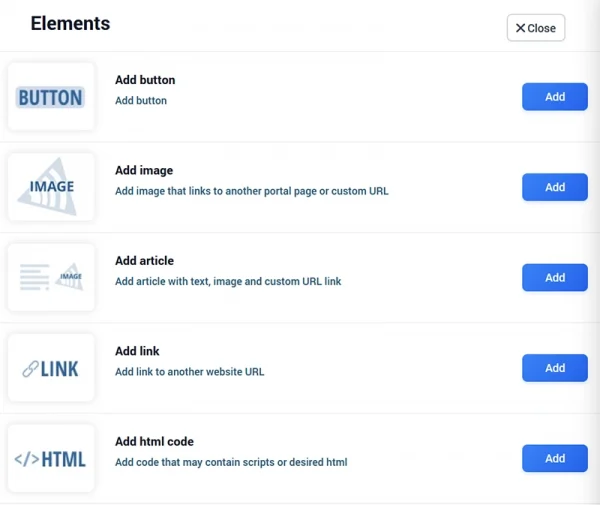
Customize the Splash Page with additional elements that help visitors navigate, discover useful information or interact with your business. Elements can be added alongside login methods and other Splash Page features to create a more complete Guest WiFi experience.
- Button – Add custom buttons for actions, offers or navigation.
- Image – Display an image that can link to another portal page or custom URL.
- Article – Add content combining text, an image and a custom link.
- Link – Direct visitors to a selected website or online resource.
- HTML Code – Add custom HTML or scripts for advanced Splash Page requirements.
This allows the Guest WiFi portal to provide useful content and calls to action in addition to Internet access.
Terms of Use
Define the Conditions for Guest WiFi Access
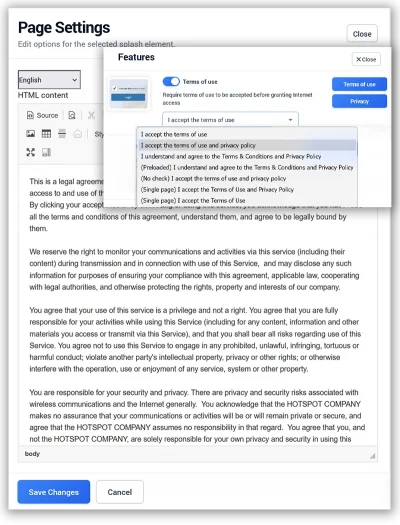
Display your Terms of Use directly on the Splash Page and require visitors to accept them before Internet access is granted.
Businesses can provide their own Terms of Use or adapt available templates according to their Guest WiFi requirements.
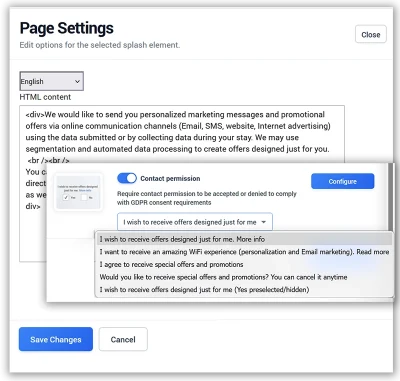
Contact Permission
Collect Marketing Consent During WiFi Login
Ask visitors whether they agree to receive future communication while they connect to Guest WiFi.
Contact permission can be configured separately from acceptance of the Terms of Use, helping businesses distinguish Internet access requirements from optional marketing consent.
Consent configuration should always reflect applicable privacy and data protection requirements.
Welcome Page
Control What Guests See After Login
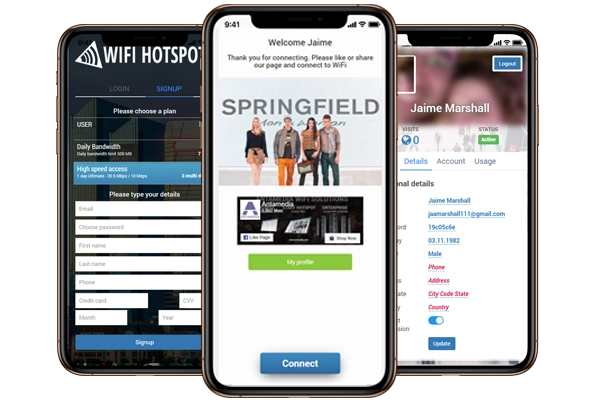
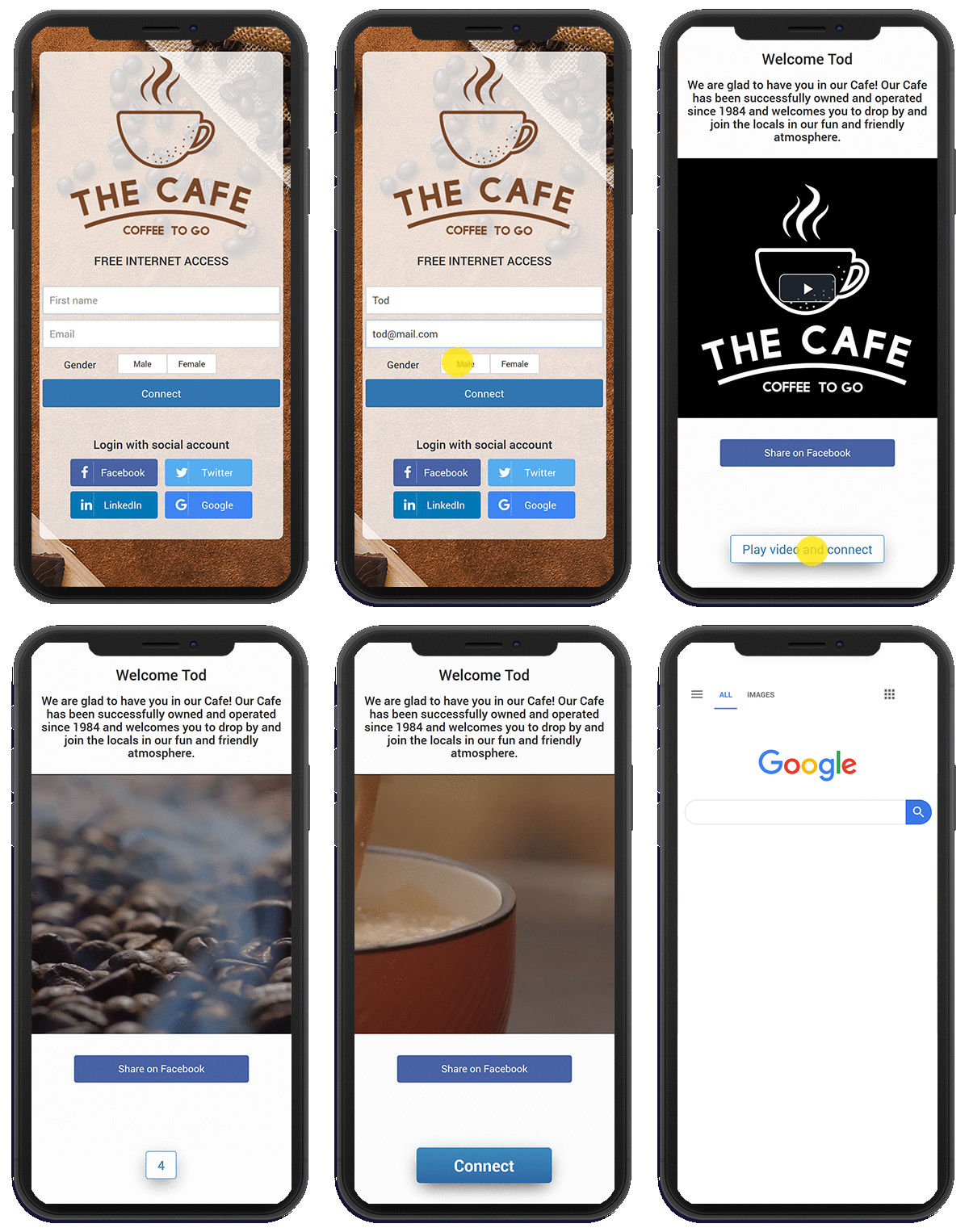
After successful authentication, visitors can be redirected to a customized Welcome Page before continuing to the Internet.
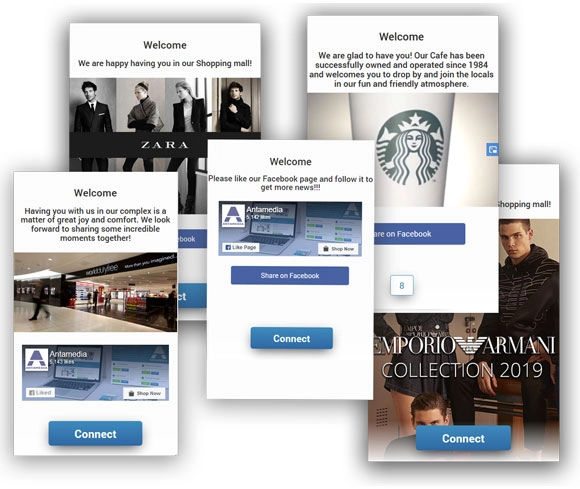
Use the Welcome Page to greet visitors, provide useful information, promote a special offer, display image or video campaigns or direct guests toward another relevant destination.
This creates an additional engagement opportunity immediately after the WiFi login process.
Marketing Campaigns and Ads
Promote Offers After WiFi Login
Display configured image or video campaigns as part of the Guest WiFi experience.
Campaigns can promote your own products, services, events and special offers or provide advertising opportunities for selected partners.
When multiple campaigns are configured, different promotional content can be displayed to visitors according to the campaign settings.
Ne bih više koristio formulaciju “Visitors will have to play video” kao centralnu vrednost funkcije. Fokus treba da bude na marketing mogućnosti, a ne na prisilnom gledanju oglasa.
Redirect
Send Guests to the Right Destination After Login
Choose what happens after a visitor successfully authenticates.
Guests can be redirected to a selected website, original requested URL, user profile or another relevant destination. A redirect delay can also be configured when visitors should first see Welcome Page content before continuing online.
Automatic login can simplify the final connection step when appropriate for the configured Guest WiFi experience.
Frequently Asked Questions About Splash Pages
A WiFi Splash Page is the page displayed when a visitor connects to a Guest WiFi network. It can provide authentication, Terms of Use, branding and other content before Internet access is granted.
A Splash Page is typically the visitor-facing part of a captive portal. The captive portal controls the authentication and access process, while the Splash Page provides the interface the visitor sees.
Yes. You can customize branding, backgrounds, colors, login methods and other available page elements.
Yes. Different WiFi locations can use different Splash Pages, branding and login configurations.
Yes. Configured forms can collect permitted customer information as part of the Guest WiFi login process.
Yes. Terms of Use can be displayed on the Splash Page and acceptance can be required before Internet access is provided.
Yes. After authentication, visitors can be redirected to a Welcome Page, selected website, original URL or another configured destination.
Yes. The Guest WiFi experience can include promotional content, image campaigns and video campaigns.
Our Customers

