
AUTOMATION AND API
Automate Guest WiFi Actions and Connect External Applications

What Is WiFi Automation?
WiFi Automation connects Guest WiFi events with predefined actions.
Instead of manually responding each time a customer connects, disconnects or becomes inactive, administrators can create rules that automatically send communication or transfer data to another system.
Automation
Trigger Actions Based on Guest WiFi Activity
WiFi Hotspot Automation lets administrators create rules that are automatically executed when defined events occur.
Available triggers include:
- Connect
- Disconnect
- Inactivity
- Birthday
Once a trigger is selected, administrators can define when the action should occur and which customers or WiFi activity should activate the workflow.
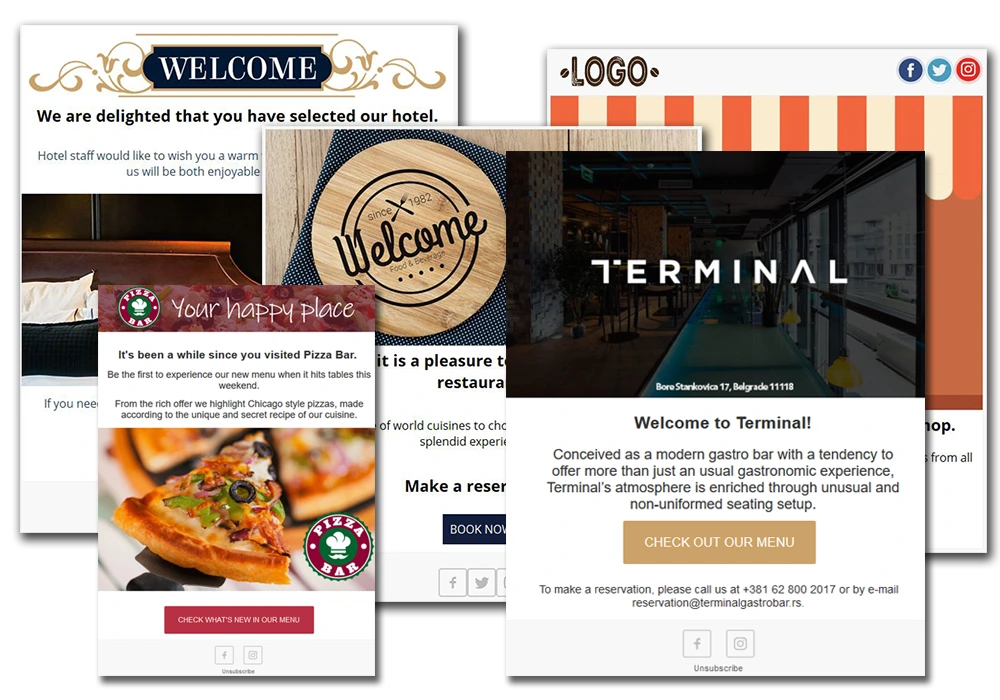
For example, a business can send a welcome message after the first connection, request feedback after a visit or contact a customer again after a period of inactivity.
Once configured, these workflows run automatically without requiring staff to manually initiate every message.
Email Campaigns
Send the Right Message at the Right Time
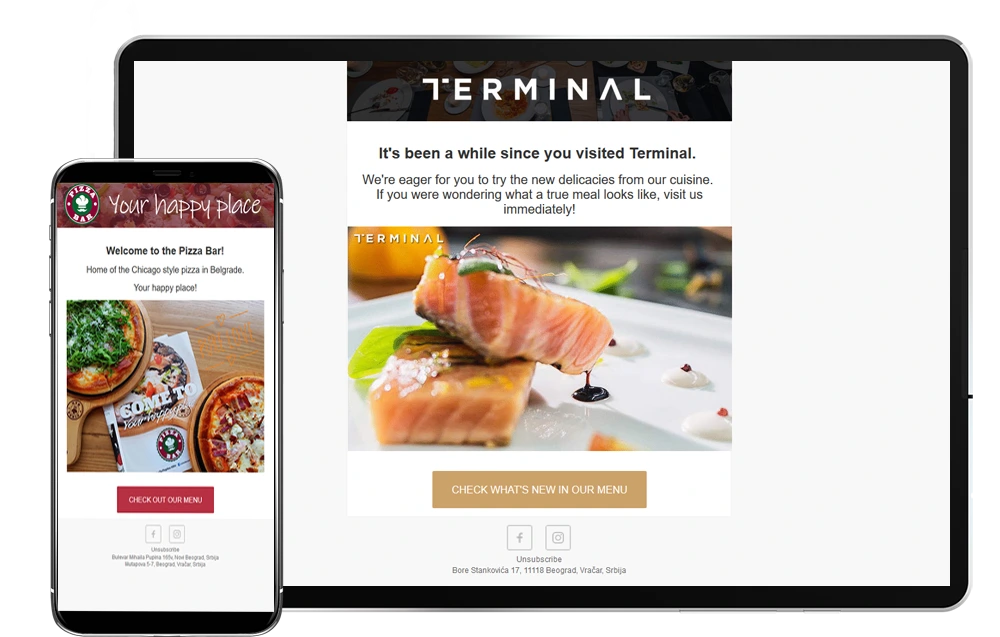
Use WiFi Hotspot Automation to trigger customer communication based on WiFi activity, or connect external systems through API and Webhooks.
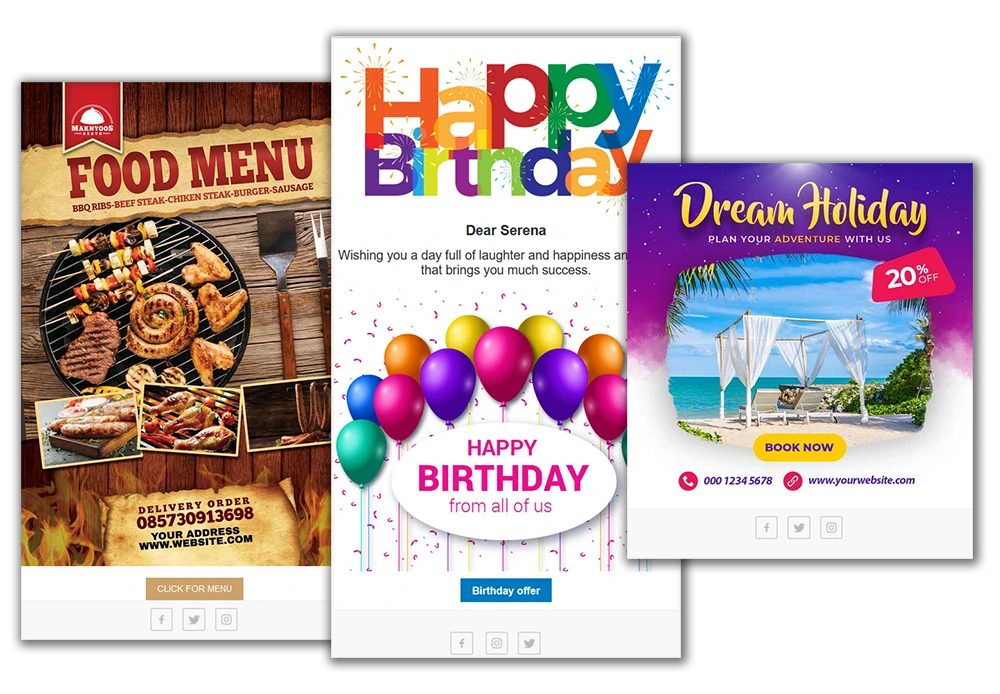
Automation can trigger predefined Email Campaigns according to customer activity and configured timing.
Use automated email communication to:
- Welcome customers after they connect
- Send information after a visit
- Request customer feedback
- Deliver birthday messages
- Re-engage customers after inactivity
- Promote relevant offers or services
Campaigns can also be associated with selected WiFi Locations, allowing businesses to adapt communication to individual venues.
Administrators create the Email Campaign first and then select it as the action within an Automation rule.
Automation Examples

Automate Customer Communication and Data Exchange
API
Connect WiFi Hotspot With Your Applications
WiFi Hotspot API allows external applications to exchange data with the Guest WiFi platform.
Developers can use the API to retrieve or manage information related to:
- Users
- Internet Plans
- WiFi Locations
- Hotspots
- Sessions
- Payments
The API can be used to integrate WiFi Hotspot with internal applications, customer management systems, reporting platforms and other business software.
For example, an external application can create or update WiFi users, retrieve session activity, access payment information or work with configured WiFi Locations and Internet Plans.

Integrations
WiFi Hotspot provides several integration options for communication and data exchange.
Depending on the workflow, administrators can use built-in Automation actions, Webhooks or API access to connect Guest WiFi activity with external services.
Email Integration
Email Campaigns can be sent manually when needed or automatically through configured Automation rules.
Businesses can use email communication for service information, welcome messages, customer surveys, promotions and follow-up campaigns.
Automation can trigger predefined Email Campaigns after events such as a connection, disconnection, inactivity or birthday.
This makes it possible to maintain regular customer communication without manually sending every message.

TripAdvisor reviews

otels can use Automation to send a TripAdvisor review request after the guest experience.
A predefined follow-up can invite recent guests to share their opinion and direct them toward the configured TripAdvisor review process.
This allows review requests to become part of an automated post-stay workflow instead of relying on reception staff to contact every guest manually.
MailChimp
MailChimp integration can be used to transfer eligible customer information into a configured MailChimp audience.
This allows businesses already using MailChimp to connect Guest WiFi data with their existing newsletter and campaign workflows.
The integration requires the appropriate MailChimp API credentials and Audience ID.
Customer data should only be used for marketing communication when the required contact permission has been provided.

Webhooks

Webhooks provide a way to send data from WiFi Hotspot to another application when a configured event occurs.
Instead of repeatedly requesting the platform for new information, an external application can receive data automatically when the Automation rule is triggered.
Webhook integration can be used to:
- Send new customer data to another application
- Connect WiFi signups with a CRM or business system
- Trigger external workflows
- Synchronize selected Guest WiFi activity
- Build custom integrations without manual data export
WiFi Hotspot sends webhook callbacks through HTTP POST requests to the configured URL.
This provides a flexible integration option when a business needs Guest WiFi activity to trigger actions outside the WiFi Hotspot platform.
Twilio
Twilio integration allows Automation rules to send SMS messages through a configured Twilio account.
Businesses can use SMS for welcome messages, service information, follow-up communication, promotions or other configured notifications.
The integration uses the organization’s Twilio sender number and account credentials, while WiFi Hotspot determines when the message should be sent according to the Automation rule.

ENGAGE YOUR CUSTOMERS WITH VIDEO ADS, CAMPAIGNS AND EMAIL PROMOTIONS

Our Customers

