

What is WiFi Hotspot?
HOSTED SOFTWARE FOR GUEST WIFI AND INTERNET ACCESS MANAGEMENT
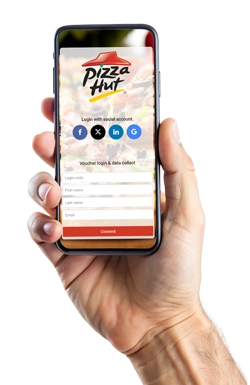
WiFi Hotspot is a hosted platform that controls how guests, customers, visitors and subscribers access the Internet through a WiFi network.
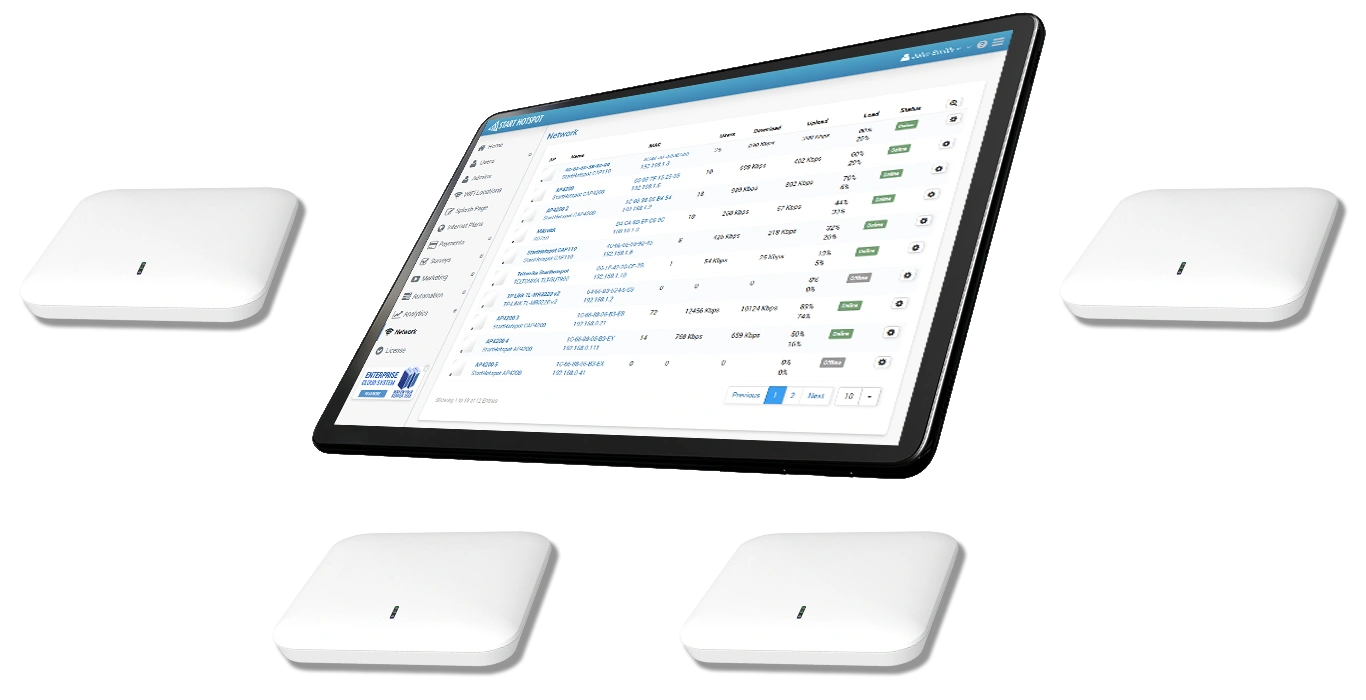
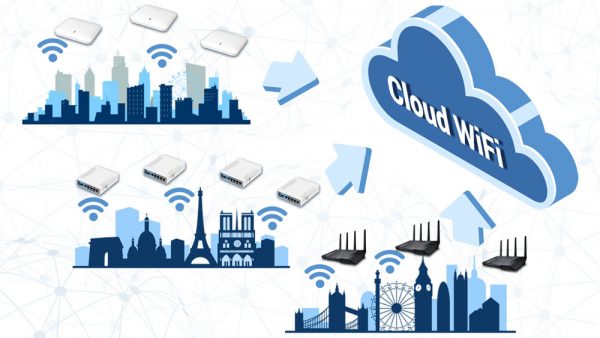
Compatible routers, access points and WiFi controllers connect to one central dashboard.
Administrators can create branded captive portals, configure login methods, manage users and vouchers, control bandwidth and session limits, accept payments and monitor multiple WiFi locations.
The central platform is hosted and maintained for you, so there is no need to install and manage a dedicated application server at each location.
Start a free trial. No credit card required.
WiFi Hotspot Management Without an On-Site Server
THE ANTAMEDIA PLATFORM IS HOSTED AND MAINTAINED FOR YOU
Manage Guest WiFi without installing a dedicated application server at each business or network location.
Compatible routers, access points and WiFi controllers communicate with the hosted WiFi Hotspot platform. Administrators log in through a web dashboard to configure locations, captive portals, users, Internet plans, payment options and access policies.
New WiFi locations can be added to the same account as the network grows. Each location can use its own branding, login methods, Internet plans and administrator permissions.
Create a Branded Guest WiFi Captive Portal
CONTROL THE LOGIN EXPERIENCE GUESTS SEE WHEN THEY JOIN YOUR NETWORK
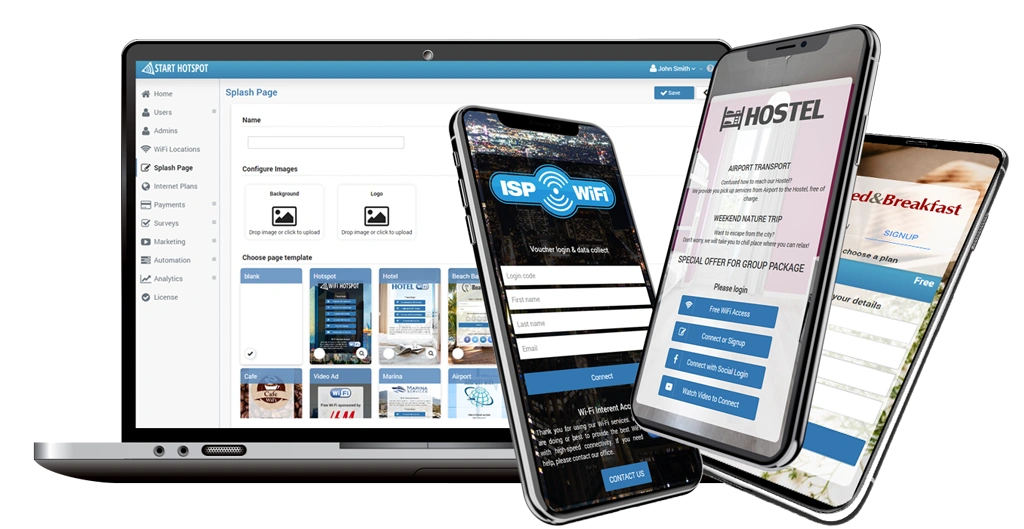
A captive portal is the branded login page displayed after a guest connects to your WiFi network.
Customize the page with your logo, colors, background, welcome message, instructions and terms of use. Present one or several access methods based on the type of business and network.
Guests can receive immediate free access or authenticate through a user account, voucher, email address, phone number, OTP code, social account, online payment or supported hotel PMS integration.
How WiFi Hotspot Works
WiFi Hotspot connects your network hardware, captive portal and Internet access policies through one central authentication platform.
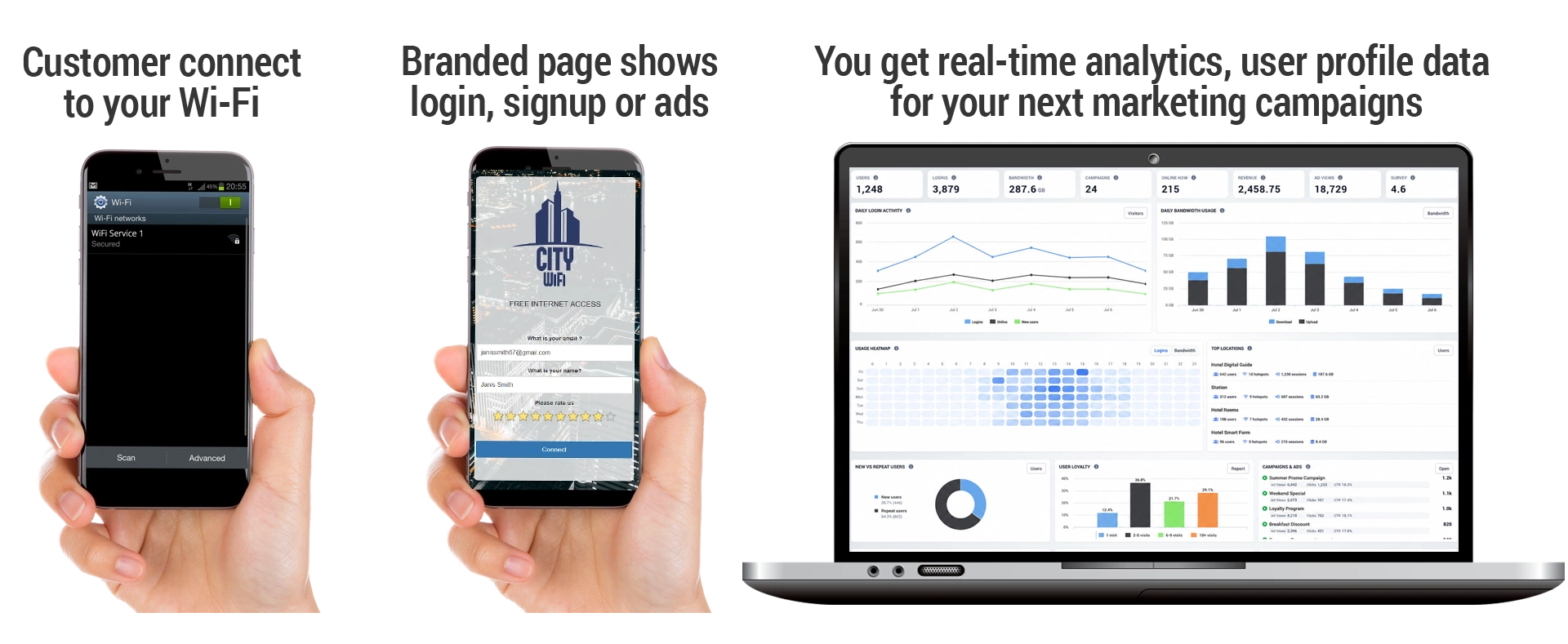
Configure a supported router, access point or WiFi controller to redirect new users to the WiFi Hotspot captive portal and communicate with the authentication service.
Create a branded splash page and enable the required access methods, such as free login, user accounts, vouchers, OTP verification, payment or hotel PMS authentication.
After successful login, the guest device is authorized and the selected Internet plan is applied automatically.
Each Internet plan can define download and upload speed, session duration, traffic quota, expiration period, access schedule and the number of devices allowed for one user.
Administrators can then monitor active users, sessions, devices and data usage through the central dashboard.
Compatible network hardware redirects guests to the captive portal and uses the platform’s central RADIUS/AAA service to authenticate access and apply the selected Internet plan.
Everything You Need to Manage Guest WiFi
Internet Plans and Access Control
Set download and upload speed, session duration, traffic quota, expiration period, access schedule and the number of devices allowed per user.
Users, Vouchers and Guest Accounts
Create individual accounts, access codes and voucher batches for guests, visitors, subscribers and event attendees.
Multi-Location Management
Manage separate businesses, locations, routers, access points and administrators through one central account.
Captive Portals and Login Methods
Create branded splash pages and provide free access, accounts, vouchers, OTP, social login, payment or PMS authentication.
Paid WiFi and Online Payments
Sell time, bandwidth or data-based Internet plans through supported payment gateways or provide prepaid access codes.
Statistics, Surveys and Campaigns
Review WiFi activity, collect customer feedback and present image, video or email campaigns to guests who have provided permission.
Why Choose WiFi Hotspot?
WiFi Hotspot runs as a centrally maintained hosted service, allowing businesses and service providers to manage Guest WiFi without operating their own application infrastructure.
Administrators retain control of captive portals, locations, users, Internet plans and branding while platform maintenance and central software updates are handled for them.
Who is it for?
RETAIL, RESTAURANTS AND CAFÉS
Provide simple visitor access, promote current offers, collect feedback and manage multiple business locations from one account.
HOTELS AND ACCOMMODATION
Provide branded hotel WiFi with guest accounts, vouchers, PMS authentication, autologin and configurable access limits.
ISPs AND SYSTEM INTEGRATORS
Deploy and manage WiFi services for multiple customers without creating a separate management platform for every project.
AIRPORTS AND PUBLIC VENUES
Control visitor Internet access across terminals, lounges, event spaces, reception areas and other high-traffic locations.
BUS, TRAIN AND MARITIME NETWORKS
Provide passenger WiFi through compatible mobile routers and centrally manage guest access across connected vehicles.
SEASONAL AND MULTI-LOCATION BUSINESSES
Activate WiFi services when locations are operating and manage separate branding, access plans and administrators for every site.
WiFi Tickets App
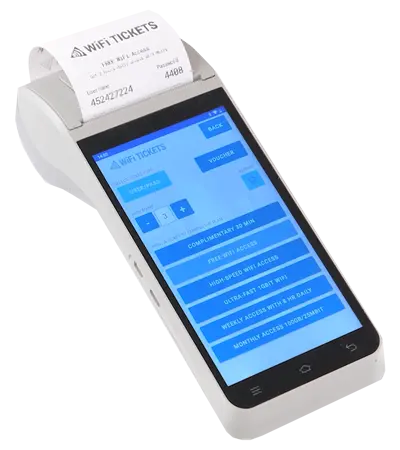
WiFi Tickets App gives authorized reception and service staff a simple way to create Internet access codes for guests, visitors and customers.
Generate one ticket or multiple codes in a single operation, select the required Internet plan and reprint the most recently created ticket when needed.
The app works on selected Android phones and compatible Android ticket printers, making it suitable for hotels, airports, reception desks, business lounges, events and public venues.
Brands & Vendors
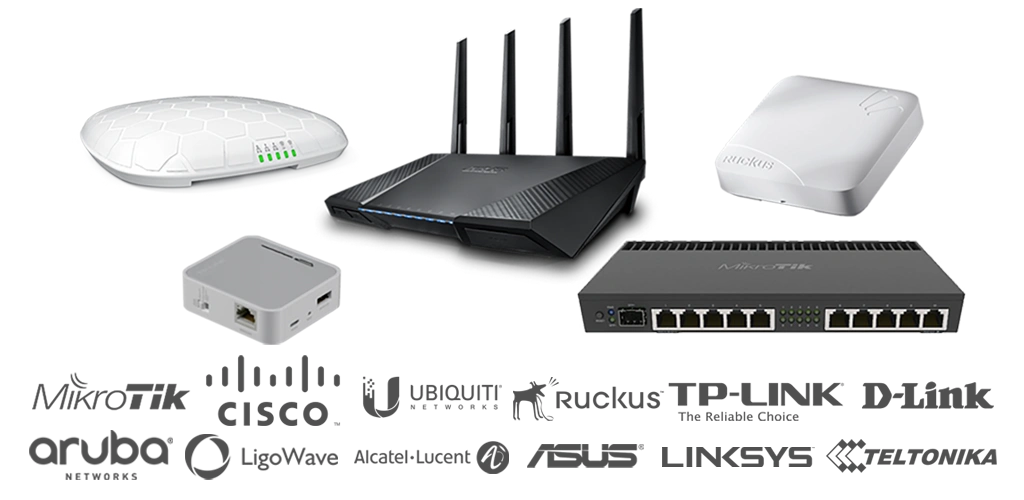
WiFi Hotspot integrates with compatible routers, access points and WiFi controllers from leading network vendors.
Supported integrations include selected devices from MikroTik, Ubiquiti, Ruckus, Aruba, Cisco, TP-Link, Cambium Networks, LigoWave, Alcatel, D-Link and other manufacturers.
Compatibility depends on the exact device model, firmware and available captive portal or RADIUS functionality. Verify the device before deployment.
Frequently Asked Questions About WiFi Hotspot
WiFi Hotspot is hosted software for managing how guests, customers and visitors access the Internet through a WiFi network. It provides captive portals, user authentication, Internet plans, access limits, reports and centralized management for one or multiple locations.
No. The central platform is hosted and maintained for you. You need compatible WiFi hardware, an Internet connection and the required network configuration.
A compatible router, access point or WiFi controller redirects new users to the captive portal and communicates with the authentication service. After successful login, the device is authorized and the configured Internet plan is applied.
Depending on the selected configuration, guests can connect through free access, username and password, vouchers, email, phone number, OTP verification, social login, online payment or hotel PMS authentication.
Yes. Multiple businesses, locations, routers and access points can be managed from one account. Each location can use its own branding, login methods, Internet plans and administrator permissions.
Yes. Internet plans can define download and upload speed, session duration, traffic quota, expiration and the number of devices allowed for each user.
Yes. You can provide complimentary Guest WiFi, create prepaid vouchers, manually create user accounts or sell Internet plans through supported payment gateways.
WiFi Hotspot supports compatible routers, access points and controllers from multiple vendors. The exact device model and firmware should be verified in the supported hardware documentation.
WiFi Hotspot is hosted and maintained for you. Enterprise WiFi System is installed on the customer’s own Windows server or virtual machine and provides direct control of the application infrastructure and data location.
Used Across Industries and Locations

